

Data integrity, ground to cloud
Look below the surface in your infrastructure digital twin to enable informed decision-making, timely adjustments, and safer solutions.
What is openground?
OpenGround is a secure, enterprise extensible platform solution for geotechnical information management. Improve collaboration among all contributors who utilize subsurface digital context for timely data-informed decisions on infrastructure digital twins. It allows you to identify site constraints early, understand financial implications, and produce plans you are proud to offer. With OpenGround, you can leverage a fully managed and scalable cloud platform to meet security and compliance requirements with active monitoring, automated backups, and robust disaster recovery. OpenGround is the foundation for your digital twin that leverages the value of your geotechnical data.
Manage Workflows
Work with intelligent data that integrates into the full context of the design. Provide dynamic visualizations and standardized enterprise reporting using trusted data. Increase collaboration throughout a connected geotechnical data lifecycle.
Centralize Data
Maintain an accessible single source of truth for all your geotechnical project data. Save time, collect, and synchronize while on site. Control access to federated data across distributed teams and the wider supply chain.
Visualize
Integrate accurate, high quality geotechnical data, enabling more informed decision-making and providing the foundation for subsurface infrastructure digital twins.
Integrate
Future-proof your data and integrate with internal systems and third-party applications to drive efficiency and increase the value of geotechnical data.
OpenGround Collector
Collect data in the field and then enter the data in the office.
- Mobile data collection
- GPS and camera enabled
- Real-time synchronization
OpenGround Collaborator
Provide data to those who need to access or review it throughout the supply chain and for client reporting.
- Data validation
- Integrated GIS
- Log report
OpenGround Integrator
Integrate geotechnical data into CAD, BIM, and iTwin environments.
- 3D model creation
- Civil profile view
- Surfaces and volumes
OpenGround Manager
Manage data, reporting, analysis, and system configuration.
- Data transfer
- Quality assurance and control
- Configuration management
*Prices vary per region. For more options, see licensing and subscriptions section.
OpenGround Videos
User QuoteS
“The data manager for this project has described the system as ‘magic’ as the teams are now connected, and the geotechnical information ‘magically’ appears on their system."
— Emma Leivers, Engineering Technical Manager, Geotechnical Engineering Ltd.
“OpenGround improved workflow for all members of the team. The various add-ins are faster within the cloud version of the database, which is useful when dealing with large datasets such as CPT data.”
— Cedric Allenou, Ground Engineering Lead, Lower Thames Crossing
FEATURED USER STORIES

Golder Associates
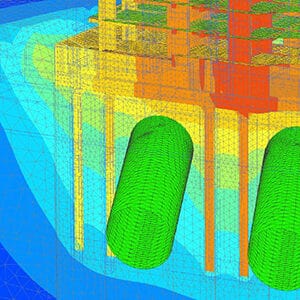
Strengthens One of the World’s Largest Subsea TBM Tunnels
Modeling with Bentley’s geotechnical applications ensured quality, safety, and a service life of 120 years.
SAIDEL Engineering
Residential Building above Subway Tunnels
PLAXIS provided the industry model, promoting future development over West Bucharest’s tunnels.

Arup Singapore
3D Soil Simulations to Design Tower Foundation
The project team saved resource hours and avoided having to use multiple software platforms.
Software Resources
Frequently Asked Questions
OpenGround is a cloud-based geotechnical information management software application that allows you to easily access, collect, organize, centralize, and standardize geotechnical data.
You need two components to run OpenGround.
- An OpenGround Instance.
- Each user requires a Virtuoso Subscription to run the desktop Apps connected to an OpenGround Instance.
Please contact us before you order Virtuosity Subscriptions if you require an OpenGround Instance.
A Virtuoso Subscription will allow you to work with projects you have been given access to in any OpenGround Instance. Virtuoso Subscription work only when being connected to an OpenGround Instance.
Note: OpenGround Cloud services must be purchased separately along with any or all OpenGround applications. Learn more.
OpenGround Instances are currently hosted in the UK, USA and Australia.
Minimum
- Dual Core Intel or compatible
- 2 GHz processor
- 4 GB of RAM
- 5 GB of available hard drive space
- 600 x 900 resolution
- Windows 8.1
- Internet Connection
Recommended
- Quad Core Intel or compatible
- 2 GHz processor
- 8 GB of RAM
- 10 GB of available hard drive space
- 1920 x 1080 resolution
- Windows 10
- Internet Connection
Browser Compatibility
Current versions of Chrome, FireFox, Edge
For the most up-to-date system requirements, visit Bentley Communities.
Licensing and Subscription options
Choose What is Right for You
One-year license with training
Virtuoso Subscription – A popular choice for small and medium-sized businesses
Get access to software that comes with training – fast! Bentley’s eStore, Virtuosity, offers a convenient way to lease a 12-month license of Bentley software for a low, upfront cost. Every online purchase through Virtuosity comes as a Virtuoso Subscription that includes training and auto-renewals.
With no contract required, it’s easy to get started quickly.
Enterprise Organizations
We’ve got your back
For larger organizations with in-depth requirements, we offer plans to provide global pricing and access to our comprehensive portfolio of solutions and success plan services. Contact us about how to get access to software, global best practices, implementation services, training, and technical support to help your organization realize its full potential while addressing your unique needs.

